

Long Emails Are Bad Emails
These 5 tips will make your emails more actionable and more likely to receive a response so that you can streamline your sales process and close more deals.
Why Long Emails Suck
They take too long to read and typically include action items I just don’t have time for. No doubt you’ve experienced it, too. Your customers are no different and it’s impacting your ability to close sales.
Sure, you carefully word your email, expanding your questions to avoid being misunderstood or outlining a great recommendation. You format it with underlining and bolding to call attention to critical details. You use bullets to make it simple to read. You’re friendly throughout, sometimes even using a pretty color instead of boring black or blue.
And What Happened?
No response. Neither your prospects nor your customers appreciate the effort you put into that perfectly crafted 434-word email.
You thought your detailed sentences would streamline your sales prospecting sequences, simplifying your prospect’s effort. You tried to help your client avoid another meeting by sending your list of questions through email instead.
But it didn’t work. You received no response because it was too time-consuming and difficult to do.
Consider Who You’re Emailing
If you’re selling to small and midsize companies, the decision-maker you’re working with is frequently the owner or a top executive with multiple responsibilities across the company.
Several company presidents I work with sell, install, manage technical consultants, and plan the direction of the company all in a normal day’s work.
If you’re selling to enterprises, your key contact is most likely a manager with too many assignments on his plate, acquired as the company downsized, as well as multiple vendor contacts. They’re all very busy people wearing too many hats.
An Email Is An Interruption
Recognize that email is an interruption that they typically haven’t allotted time to manage into their day like they would a scheduled meeting. You can’t expect to get all the answers you would during a meeting, in the course of one email.
If you have a lot of information to share or gather, consider a different approach than email. It may be more effective to convey a project update in a project status report and ask just two questions in the email.
Or, to present a recommendation in a proposal document and tell your contact in the email that you’ve included a great idea in the third paragraph on page one.
Start A Conversation
Limit how much you ask or share. Keep your emails brief so they’re a quick read and simple to respond to. Keep in mind that email can be a conversation. It’s okay to ask for clarification or ask the next question. 434 words, no matter how well organized, are still a lot to read, absorb and reply to. If possible, try to stay under 175 words.
Write Your Emails to Look Fast
The faster it looks to handle, the better your chance of getting a quick response. Vary your paragraph lengths. Avoid long paragraphs. Use bulleted lists, limiting the number of items to five or less. Keep your signature short. Long signatures give the appearance of long emails.
Make It Easy to Reply
Ask only two or three questions at once. Questions become action items when sent via email. Your objective is to reduce the number of to-dos you place on your contact to speed their ability to reply. If you have ten questions, consider scheduling a meeting.
Make your emails easy to respond to and you’ll discover that both customers and prospects you’re working with will respond more promptly and keep your sales process moving forward.
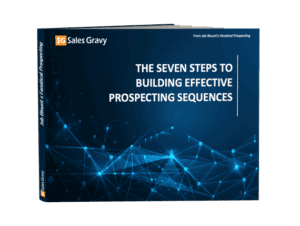
Download our FREE guide, Seven Steps to Building Effective Prospecting Sequences, for techniques that will help take your prospecting campaigns to the next level, get you into more doors, build deeper relationships, and close more deals.

![6 High-Probability Moments to Send LinkedIn Connection Requests Prior to an Event Events create natural relevance. Conferences, trade shows, user groups, and local meetups give you a reason to connect that does not feel forced. The mistake sellers make is waiting until the event starts or turning the request into a pitch. A better move is connecting days or weeks ahead with a simple acknowledgment of the shared event. Example: Hi Sarah, saw you’re attending the Midwest Manufacturing Summit next month. I’ll also be there and am super excited! I’d love to catch up in person at the event. In the meantime, let’s connect here on LinkedIn. You are aligning with something already on their calendar. When you see them at the event or reach out afterward, your name is no longer unfamiliar. Following an Event After an event, connection requests work best when they reference a real interaction, even a small one. A short conversation, a question during a session, or a brief introduction creates enough context. The request should reflect that moment, not attempt to convert it into a follow-up. Example: Tim, I enjoyed meeting you at the conference last week. Your take on [subject/trend/idea] was intriguing. I look forward to staying connected and to our next conversation. This reinforces continuity and professionalism without pushing the relationship forward prematurely. After a Sales Call Sending a connection request after a sales call is one of the most underused opportunities in prospecting. If the call was answered and productive, the request reinforces credibility and continuity. Example: Thanks again for the conversation today. I appreciated your perspective on how your team is thinking about next quarter. I look forward to our next meeting and sharing some ideas I have with you and your team. If the prospect did not answer, a connection request can still make sense as a light reinforcement, especially early in the relationship. It keeps your name present without escalating pressure. Either way, the request works because the call establishes legitimacy first. After a Meaningful Interaction Not all interactions happen in formal selling environments. Thoughtful exchanges in comment threads, group discussions, or brief conversations in passing all create natural moments to connect. That might mean running into each other at a non-work event, crossing paths at an airport, or chatting briefly in a line somewhere unexpected. Example: Haley, it was a pleasure meeting you on our flight to Atlanta. Thank you for your restaurant recommendations! I look forward to staying connected, What makes this work is that the interaction was real. The request simply continues it. Mutual Connections Shared connections reduce perceived risk when handled with restraint. They signal that you operate in similar professional circles, not that you have permission to pitch. The mistake is overexplaining or implying endorsement. Example: Hi Mark, I noticed that you are connected to my good friend, James, and since you are also [interested in, working in, located in] I thought it might make sense for us to be connected also. A simple acknowledgment is enough. Familiarity does the work. Profile Views Profile views signal awareness, not intent. When someone views your profile after a call, email, or content interaction, a connection request can make sense as a low-pressure acknowledgment. Example: Wendy, thank you for visiting my profile. I had a chance to look at yours, and based on your interests, I thought it might make sense for us to connect. The discipline is resisting the urge to read more into it than is there. Want the exact framework for integrating LinkedIn into a disciplined outreach sequence without pitching, spamming, or wasting time? Buy The LinkedIn Edge by Jeb Blount and Brynne Tillman today. Sales Gravy is the number one sales training organization](https://salesgravy.com/wp-content/uploads/2025/12/6-Moments-LinkedIn-Connection-Requests-Actually-Work-in-Prospecting-Sales-Gravy-Blog-Featured-Image-768x401.jpg)
